NIJIUNIT BEGINNER GUIDE
How-to diagrams
Start with the complete overview, then follow steps 1 through 4 in order. Select any image to open it at full size.
Back to Get started-
ALL
START HERE
The complete path to creating your first video
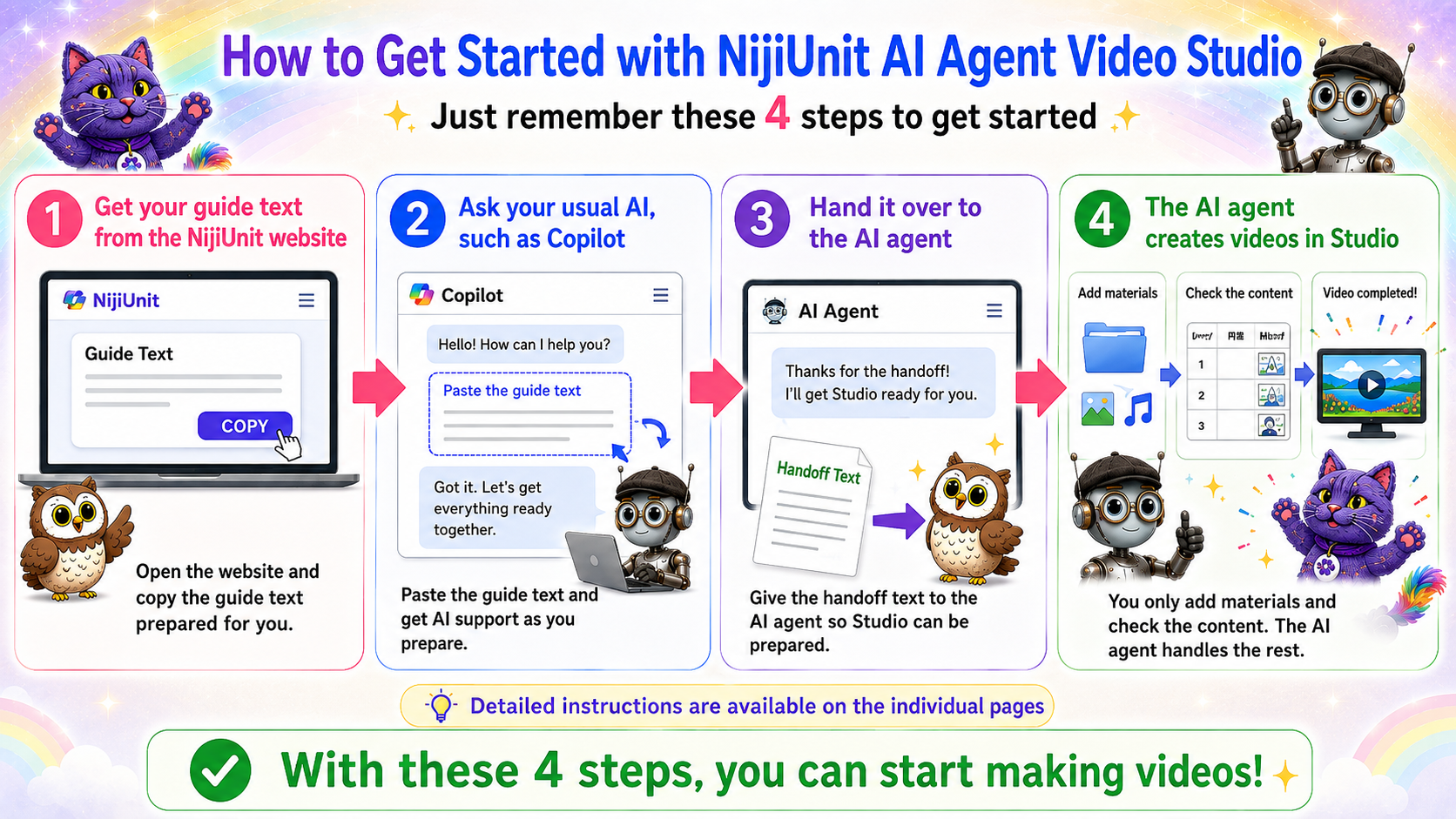
Select the image to view it at full size
-
1
STEP 1
Get your Guide Text from the NijiUnit website
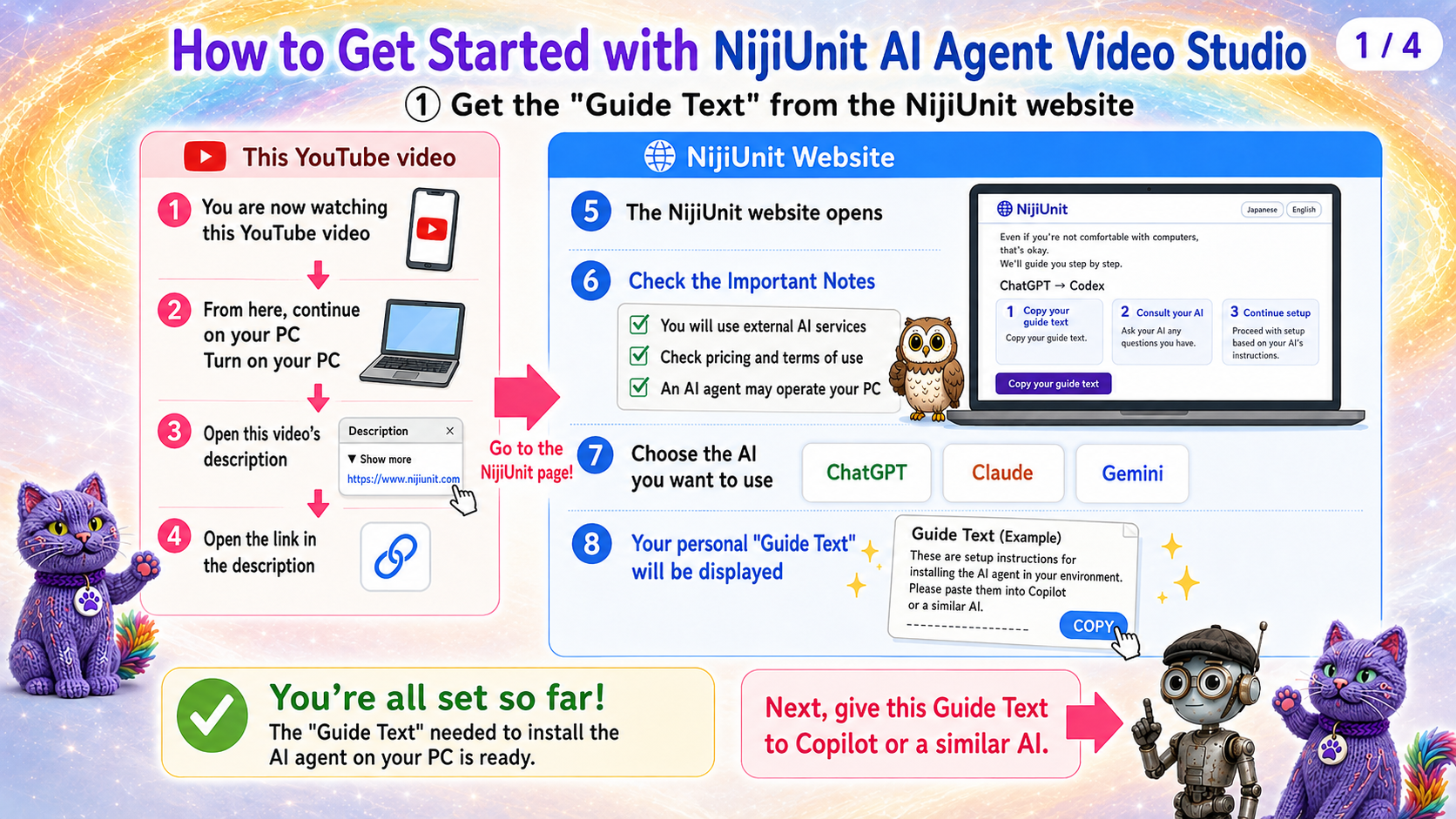
Select the image to view it at full size
-
2
STEP 2
Ask your usual AI, such as Copilot
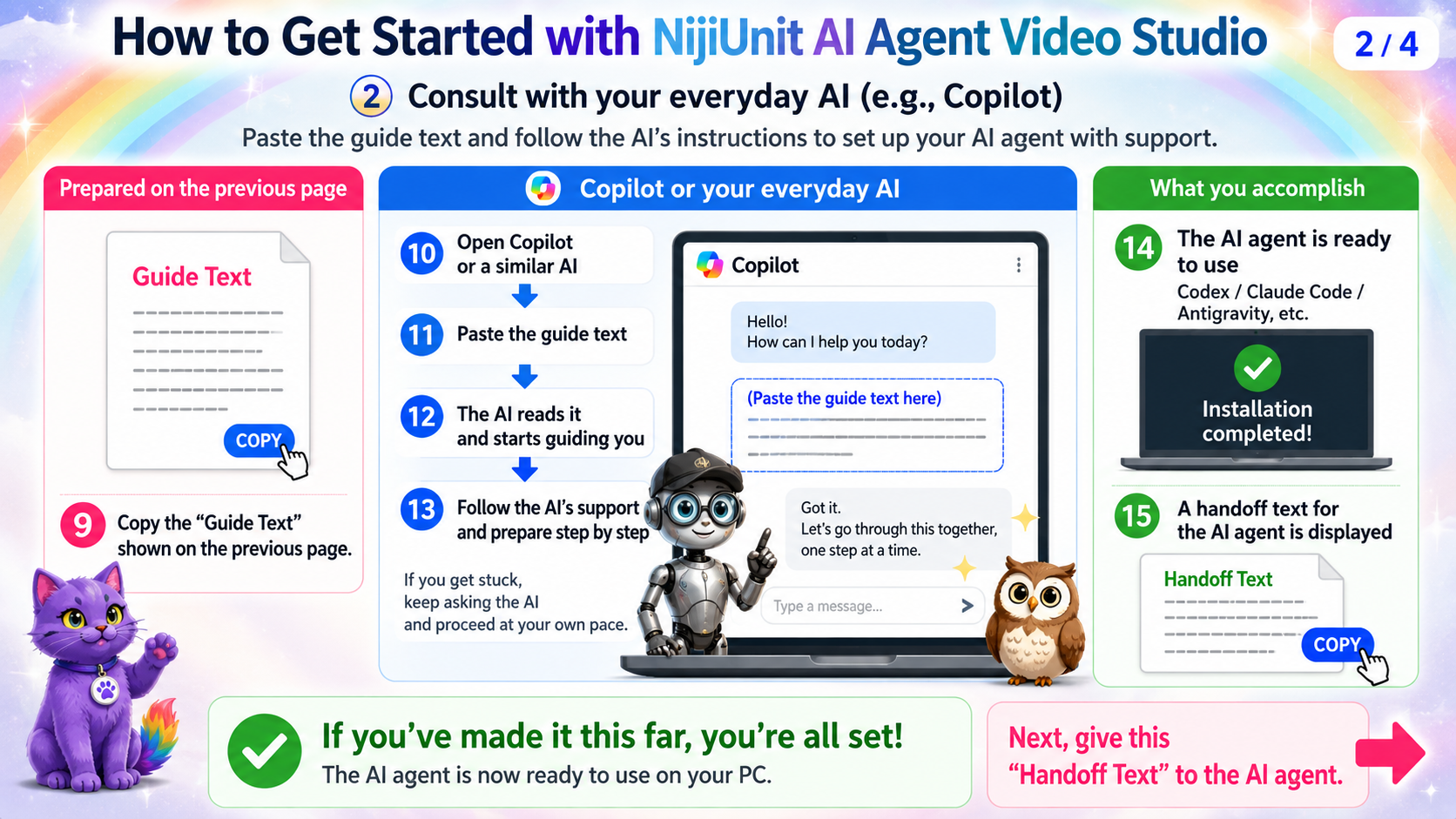
Select the image to view it at full size
-
3
STEP 3
Hand it over to the AI agent
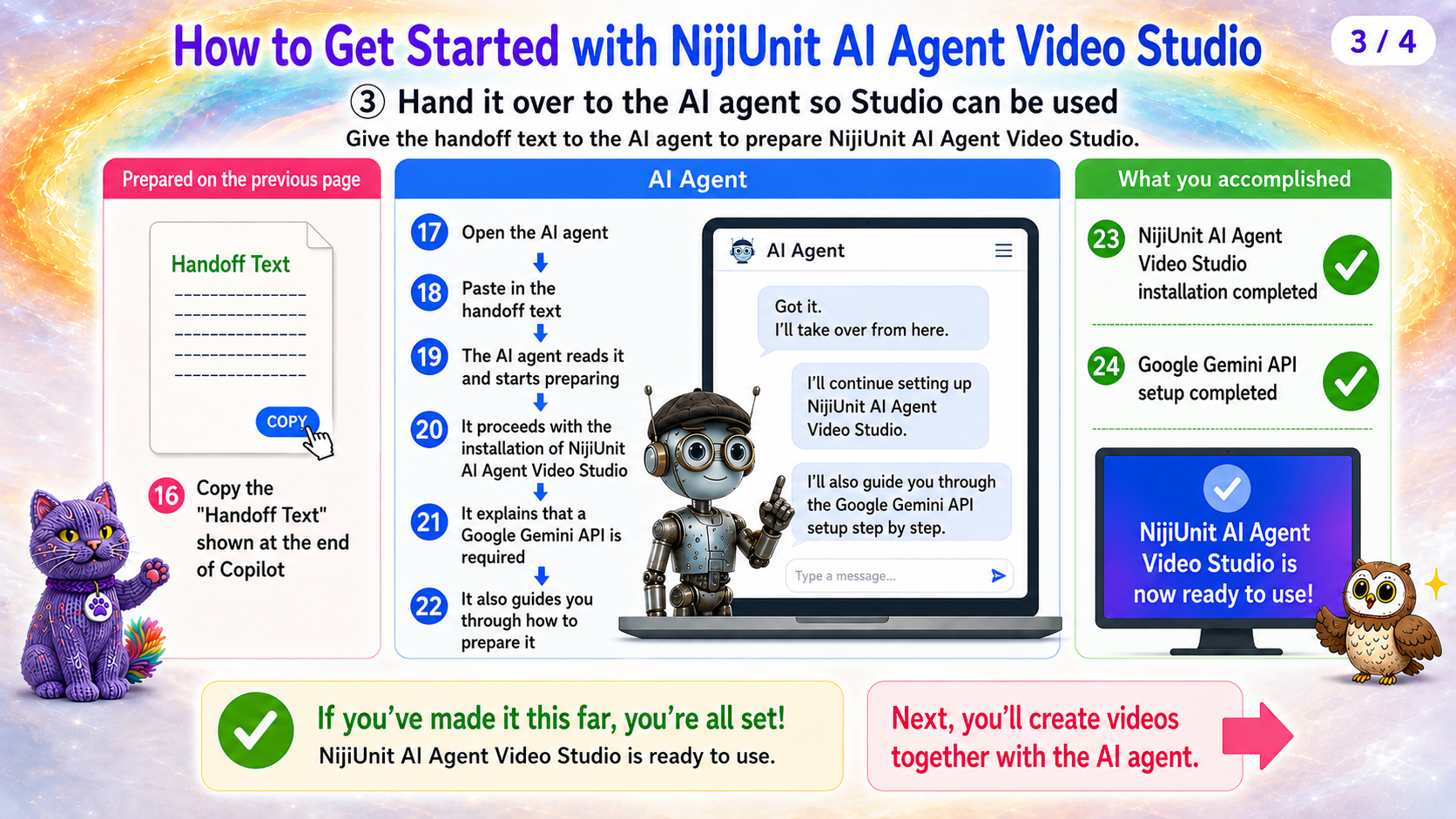
Select the image to view it at full size
-
4
STEP 4
Create a video together with the AI agent
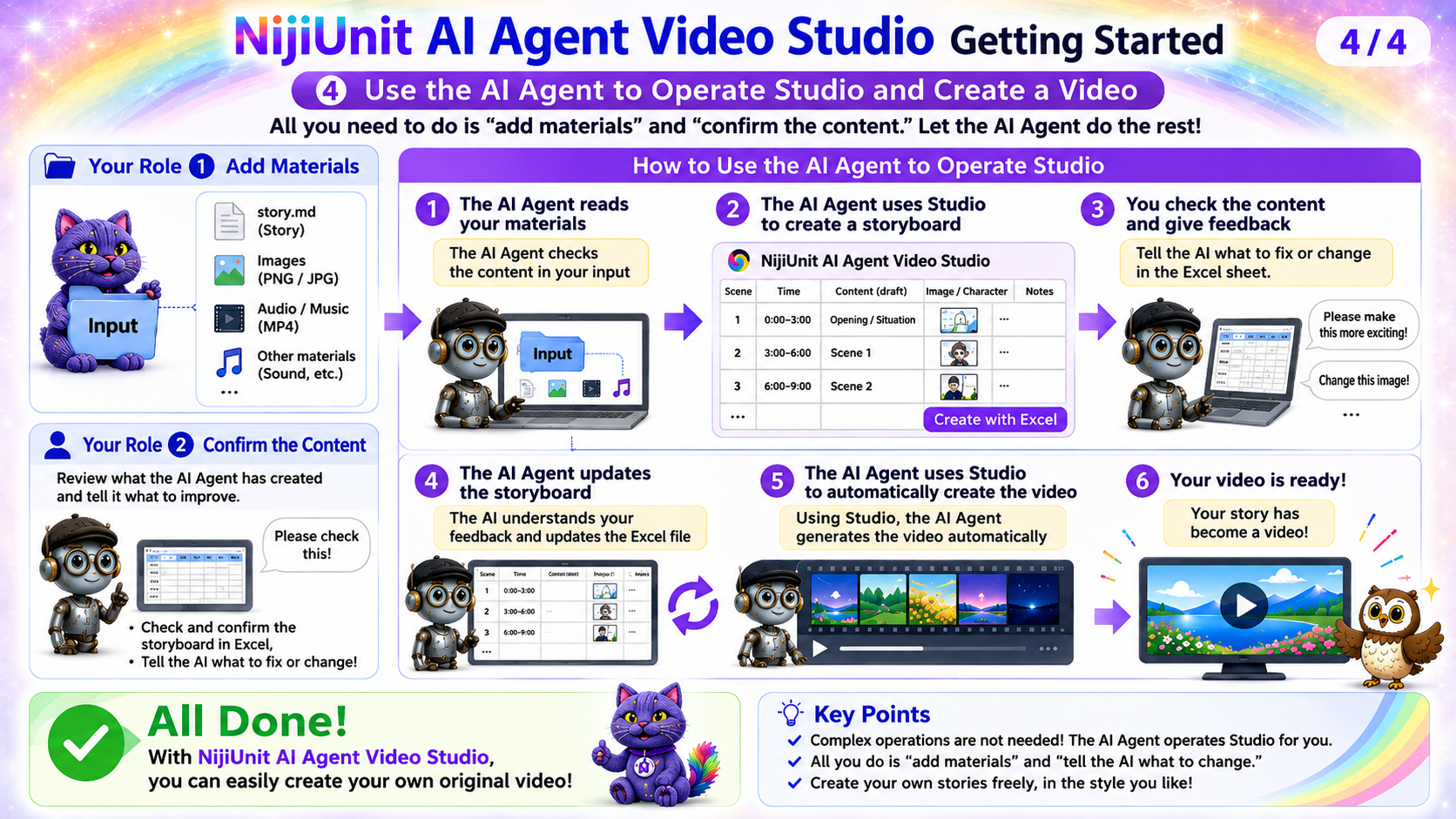
Select the image to view it at full size
Try using an AI agent
Pressing this button alone does not start a contract, charge, installation, or other change.